We Reduced Support Tickets 35% With an AI Helpdesk Agent
How we implemented a business-ready AI helpdesk agent with guardrails, escalation, and continuous improvement to reduce repetitive tickets and speed up responses.
Quick navigation
The problem: repetitive tickets were drowning the team
Customer support teams don't struggle because they're bad at support—they struggle because the same 10–20 questions show up all day, every day: password resets, billing basics, account access, simple how-to steps, and "where do I find…?" requests. Those tickets are real, but they don't require a human typing the same answer again and again.
In our case, ticket volume increased while response time drifted upward. Customers waited longer, agents got stuck in copy-paste loops, and complex cases suffered because the team had less time to think.
What the data showed
- Most tickets were "repeat questions" already answered in documentation
- Peak hours created backlog and slower first responses
- Agent morale dropped because the work felt robotic
Why traditional chatbots weren't enough
We tried rule-based bots. They broke the moment a customer phrased a question differently or asked a follow-up. The experience felt like fighting a menu, not getting help.
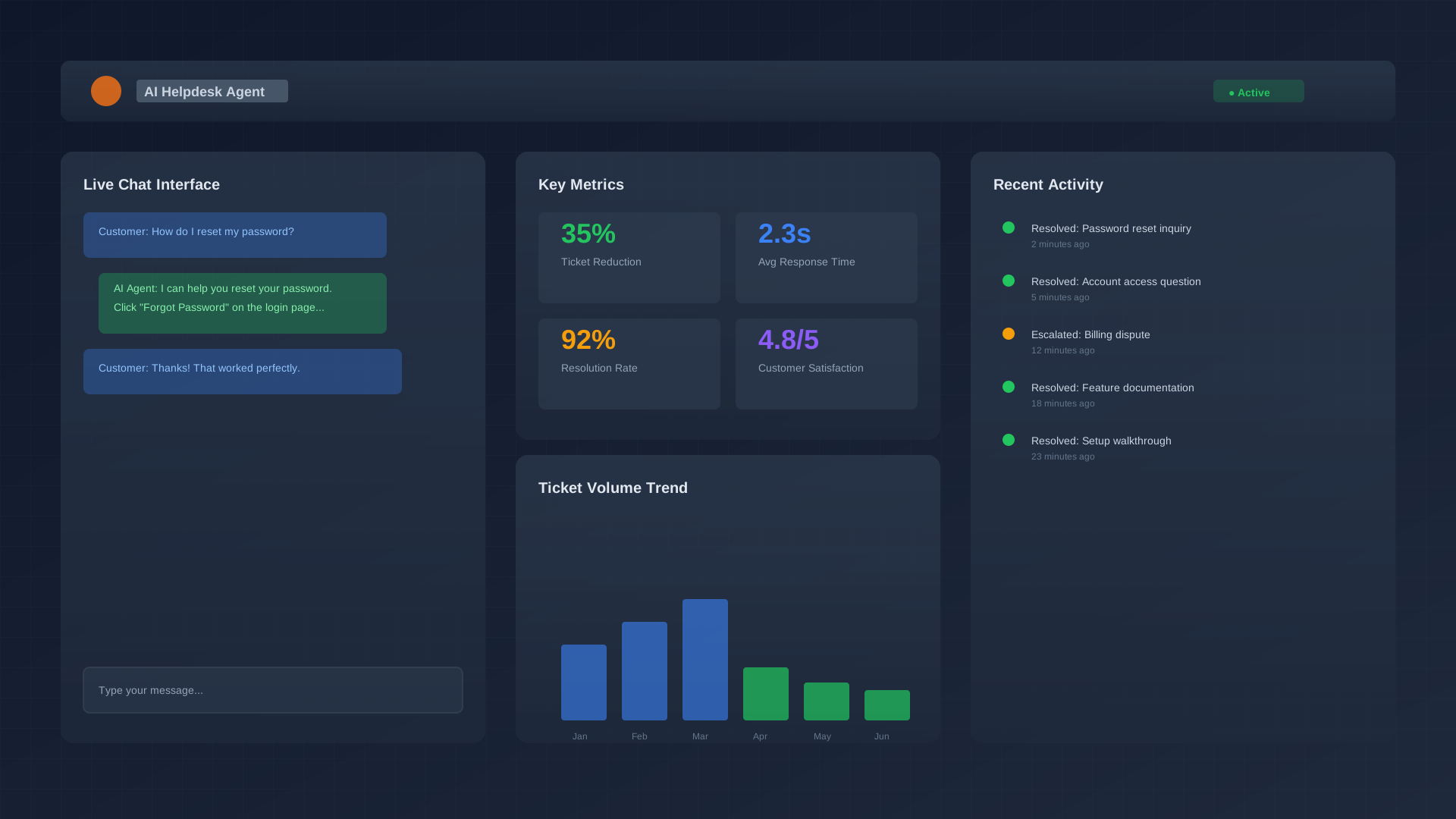
A modern AI helpdesk agent is different: it understands natural language, handles multi-turn conversations, and can pull answers from your knowledge base—even when questions are messy, short, or typed with typos. Learn more about our AI Agents solutions.
How we implemented the AI helpdesk agent (6 weeks)
Phase 1: Knowledge base cleanup
We audited articles, removed duplicates, and rewrote the top FAQs with clear steps and headings. The agent is only as good as the knowledge it can use.
Phase 2: Training + testing with real tickets
We trained on historical ticket patterns and tested edge cases with the support team. Incorrect answers were flagged and fixed early.
Phase 3: Gradual rollout with safe escalation
We started small, monitored outcomes, and added clear escalation rules: if confidence was low or the request was sensitive, it handed off to a human with full context.
Phase 4: Weekly improvement loop
Every week we reviewed what the agent couldn't answer, improved documentation, and updated workflows. This is where results compound with our Change Management approach.
Results: 35% fewer tickets (and faster responses)
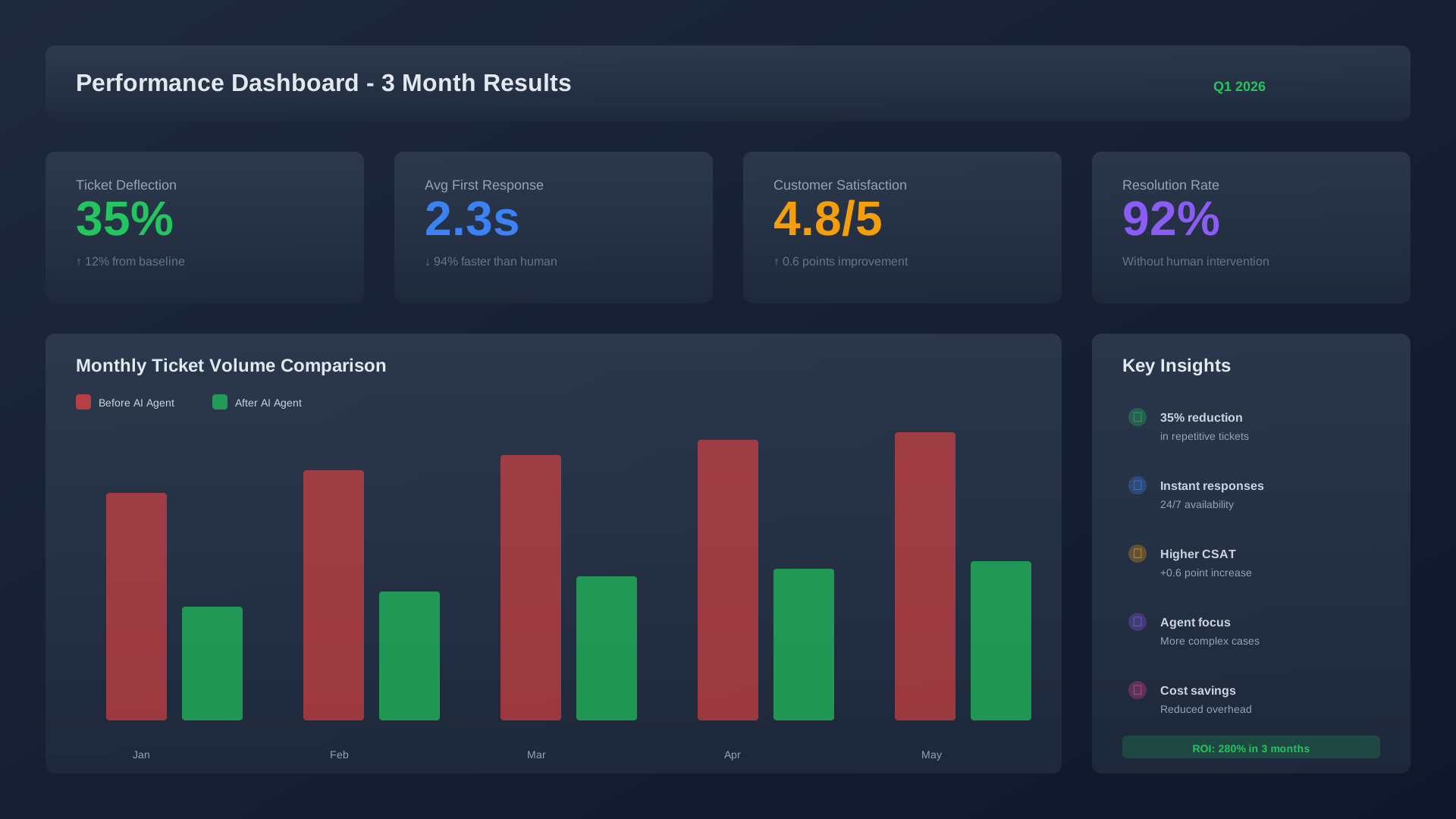
Within three months, the agent resolved routine inquiries without human involvement—reducing tickets by 35%. That freed the team to focus on complex cases that actually needed a human.
What improved immediately
- Faster first response (AI answers instantly, 24/7)
- Better agent focus (less copy-paste, more complex problem solving)
- More consistent answers (documentation-aligned responses)
Deliverables we shipped
- Helpdesk AI agent with approved knowledge scope
- Escalation rules + human handoff playbook
- Updated knowledge base with top FAQs + step-by-step guides
- Weekly performance review dashboard (deflection + reasons)
- Change Management Pack: SOPs + training + office hours during pilot
Tools we integrated with
We designed the solution to fit existing workflows (no "rip and replace"). Typical integrations include:
- Helpdesk/ticketing system
- Knowledge base / docs
- CRM (for customer context)
- Email + chat channels
- Analytics + reporting
Best practices you can copy
- Start with knowledge cleanup — The agent can only be as helpful as your documentation. Before launch, audit your knowledge base and fix outdated or unclear articles.
- Test with real tickets — Use historical data to simulate common questions. This reveals gaps early.
- Build escalation rules upfront — Define when the agent should hand off to a human. Include triggers like low confidence, sensitive topics, or explicit customer requests.
- Run a pilot before full rollout — Start with a subset of users or channels. Monitor outcomes, fix issues, then scale.
- Review weekly — Track what the agent couldn't answer and why. Use that data to improve documentation and training.
- Include your support team early — They know the pain points and can help shape the solution. Plus, involving them reduces resistance during adoption (see our Change Management service).
Frequently asked questions
How long does implementation take?
Typical timeline is 4–8 weeks depending on complexity. We spend the first 2 weeks on knowledge prep and training, then roll out gradually with weekly reviews. Check our Services page for more details.
What if the agent gives a wrong answer?
Escalation rules ensure sensitive or uncertain queries go to a human. We also track all interactions and flag errors during weekly reviews, so accuracy improves continuously.
Does this replace our support team?
No. It handles repetitive, low-complexity tickets so your team can focus on nuanced cases that need human judgment. Most clients see headcount stay flat while ticket volume increases.
What happens if we already have a chatbot?
We can integrate with or replace it depending on your needs. Modern AI agents handle multi-turn conversations and context better than rule-based bots, so most teams see significant improvements.
How do we measure success?
We track ticket deflection rate, first response time, resolution time, customer satisfaction, and agent feedback. You'll get a dashboard updated weekly.
Ready to reduce repetitive tickets?
We'll build, train, and deploy a business-ready AI helpdesk agent—plus the rollout plan, training, and weekly support to make sure your team actually uses it. Learn more about our Change Management service.
Related pages: